
Link a task to the one it follows
Tie a task to a predecessor so a date change can pull the work that depends on it.
Last updated
A link says this task cannot honestly start, or finish, until another one has reached a point. Move the predecessor and the successor follows, unless something is locked.
Links stay inside one job. The four kinds are Finish-to-Start, Start-to-Start, Finish-to-Finish and Start-to-Finish. Lag waits extra working days. A negative number is a lead, and it overlaps the two tasks.
Who can do this
- Owners, admins and members can add, change and remove links.
- Viewers can see the links. They cannot add or remove them.
What will be refused
- If moving a successor would shift a locked start or finish, that date stays. You get a conflict naming the task, the locked date, the cause, the date that was requested, and the working-day gap. The link is kept.
- A duplicate link to the same predecessor is refused.
- Deleting a task tells you which dependency links will be removed with it.
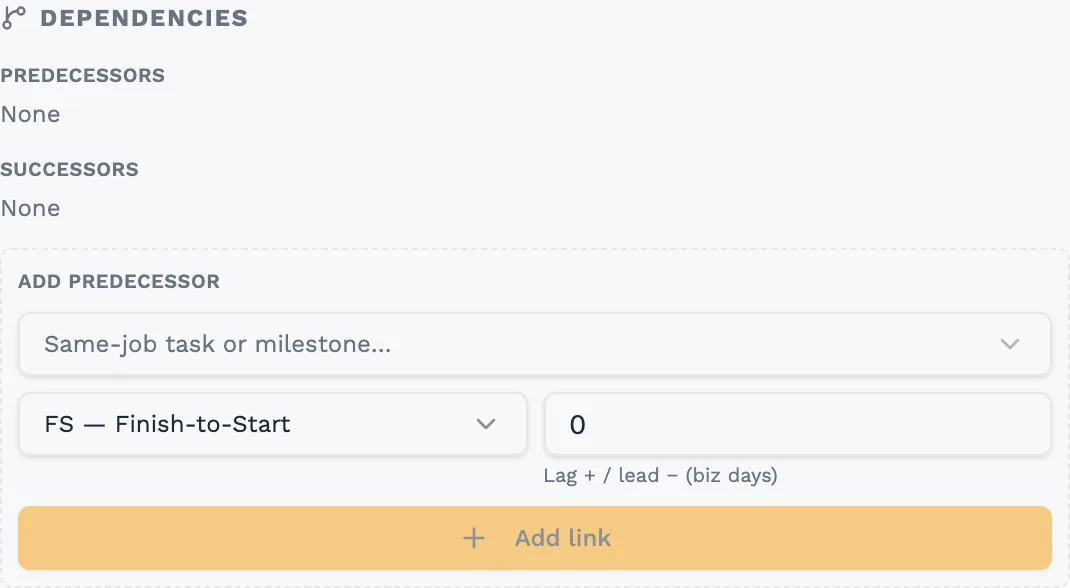
Open the successor
Open the task that should follow. Dependencies lists its predecessors and its successors.
Pick the predecessor
Under Add predecessor, choose another task or milestone on the same job.
Choose the link type
Finish-to-Start is the usual one: the next task begins the working day after the previous one finishes. Use the others when two tasks must start together, finish together, or when a finish depends on someone else's start.
Set lag or lead
Leave the number at zero for no gap. A positive number waits that many working days. A negative number is a lead, and pulls the successor earlier.
Add the link
Select Add link. The successor moves to satisfy the link when it can. If a locked date blocks that move, the lock wins and the conflict is shown.
Worth knowing
- Finish-to-Start with zero lag starts the successor on the first working day after the predecessor finishes. Weekends, holidays and shutdowns are not counted.
- You can keep a link and still place a successor by hand. If that placement breaks the link, the conflict names the predecessor, the date the link requires, and the date you chose.
Still stuck?
Tell us the job and the dates involved and we'll usually answer without a call.
Or email Support@tradeflowplanner.com