
Platform Features
Built for construction.
Not adapted from it.
Every feature in TradeFlow Planner was designed around how construction teams actually plan, schedule, and manage crew — not repurposed from generic project management software.
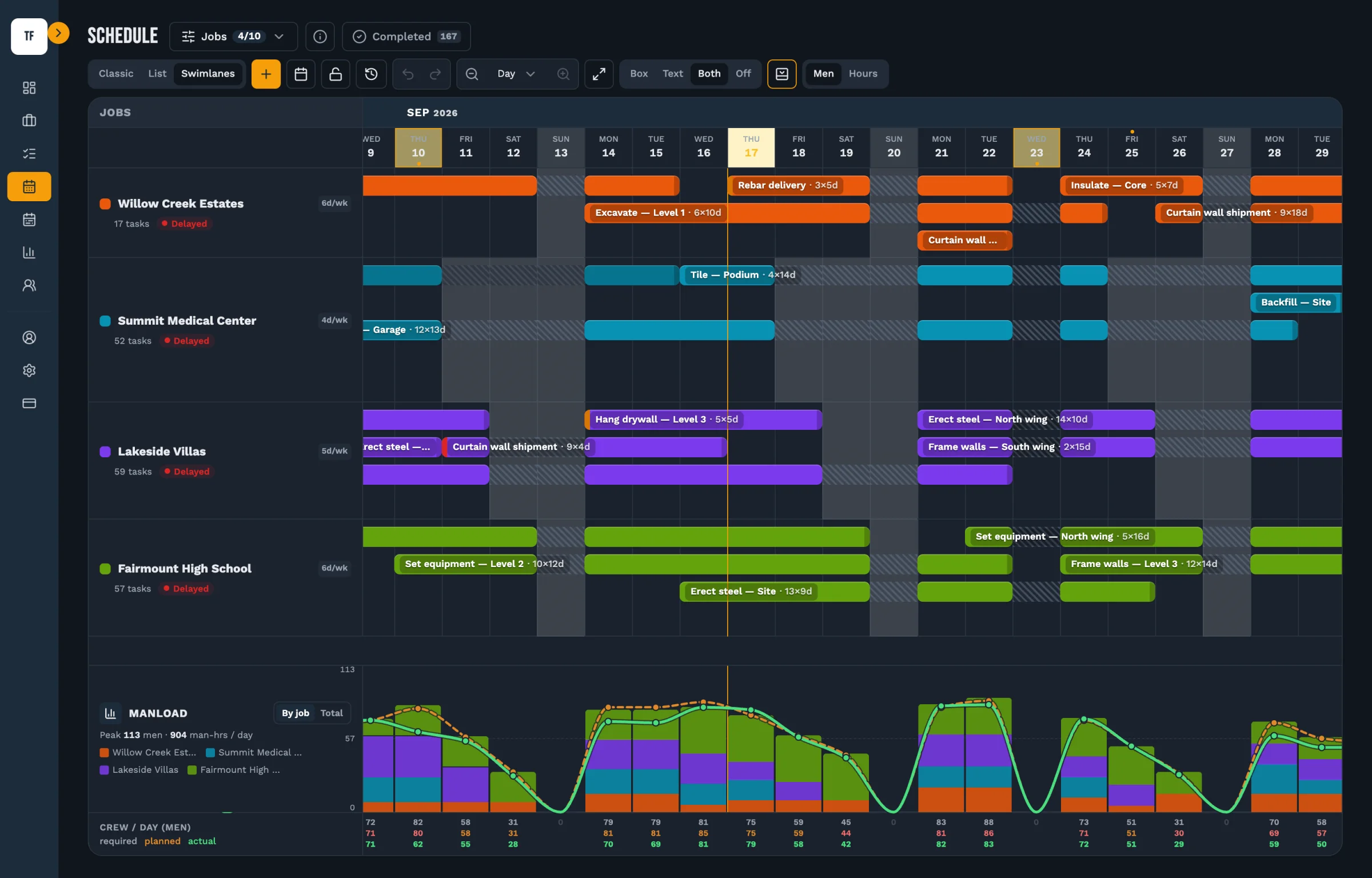
See your entire project at a glance.
A Gantt-style scheduling timeline built for how construction actually works — not adapted from software project management tools.
- Drag-and-drop task scheduling across weeks and months
- Set task durations, start dates, and end dates
- Visualize phase overlaps and sequencing
- Color-coded activities for fast visual scanning
- Zoom in/out from day view to project overview
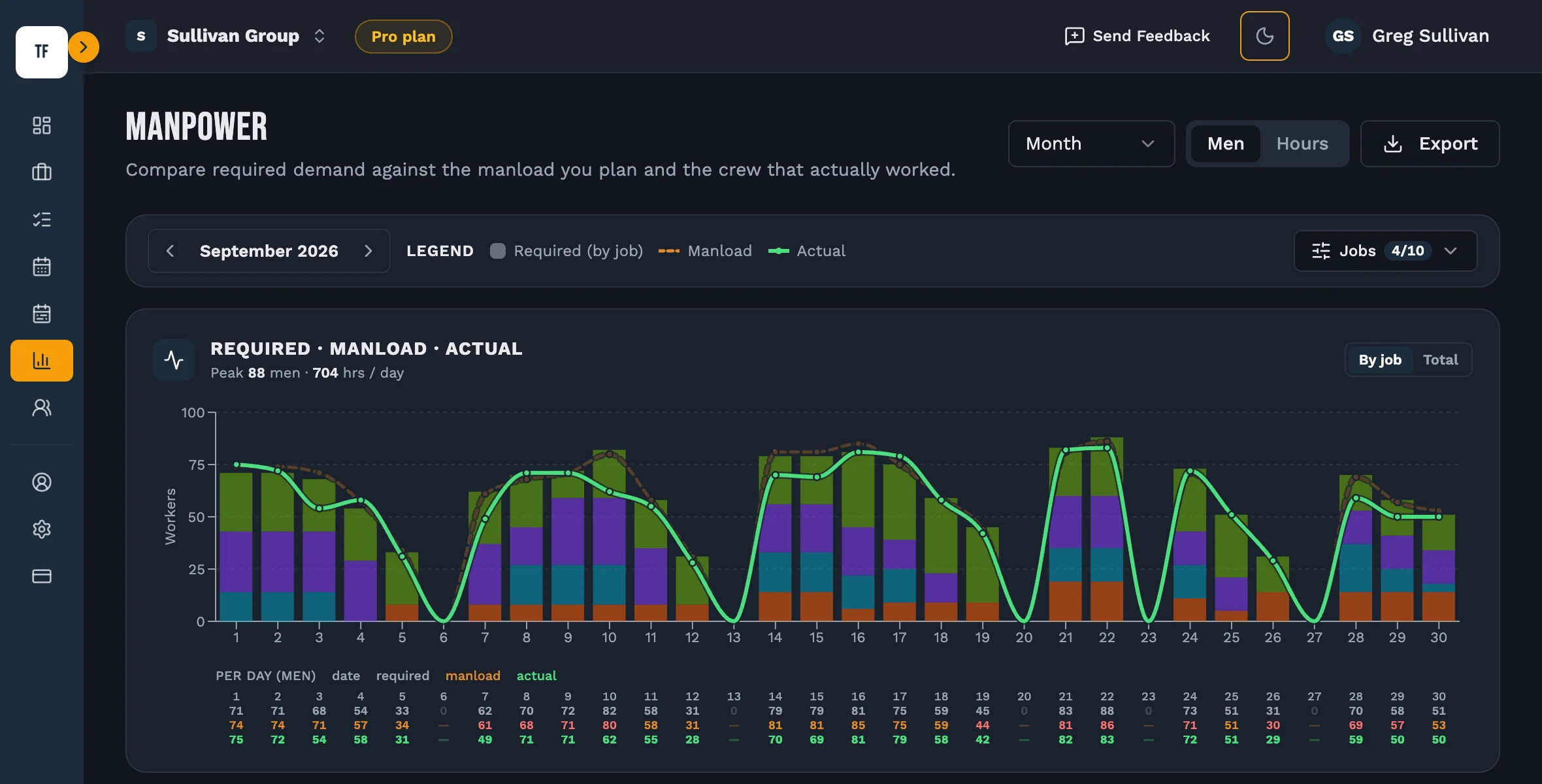
Know your crew demand before it hits.
The running manpower chart automatically calculates total crew demand week by week based on your scheduled activities and crew sizes.
- Auto-calculated from your schedule and crew assignments
- Spot peak demand weeks before mobilizing
- Identify gaps and overloads across the project
- Compare manload across multiple active jobs
- Export manload data for reporting and planning
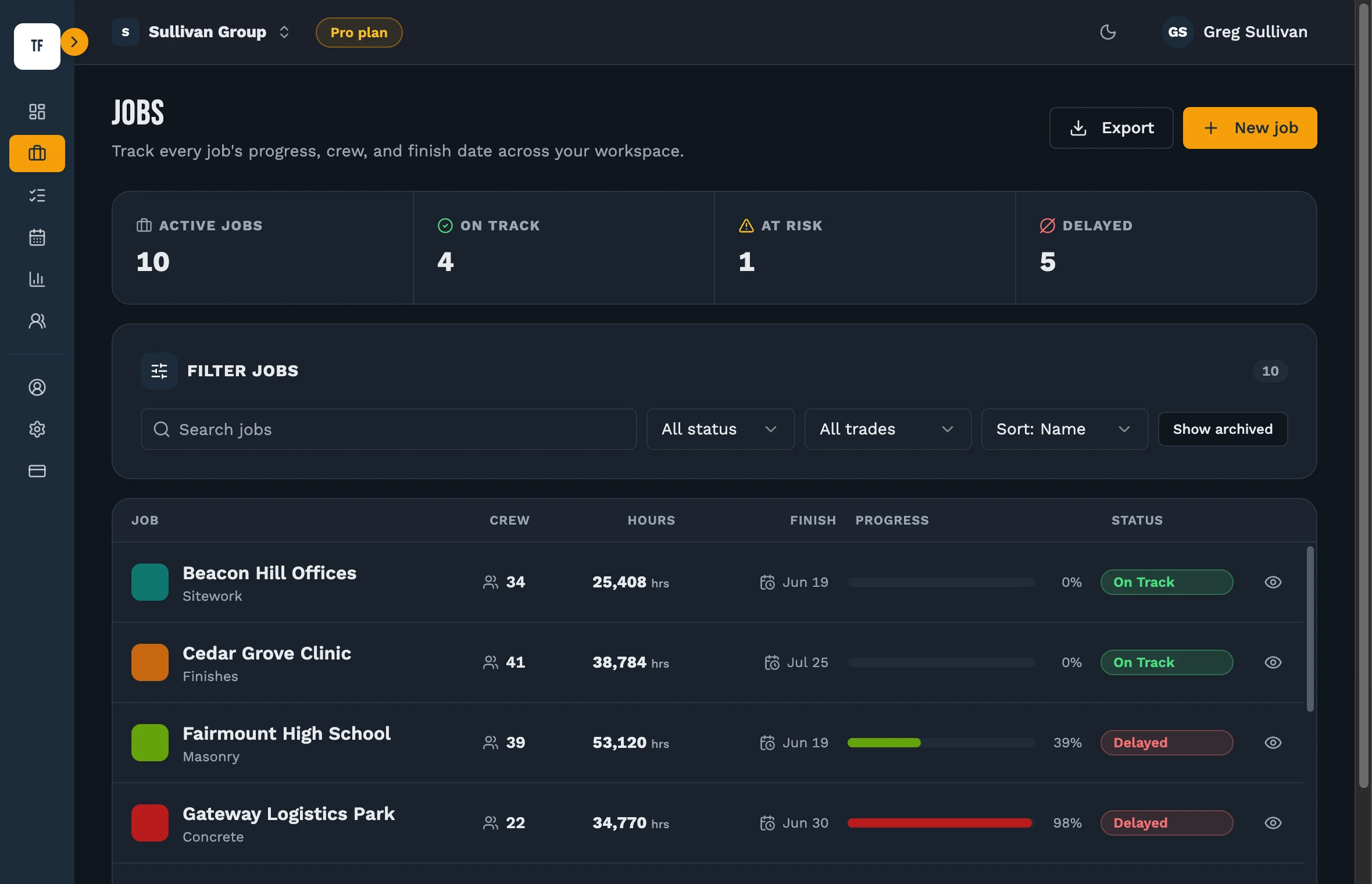
All your jobs. One snapshot.
The job snapshot dashboard gives you a bird's-eye view of every active project — schedule health, crew count, and progress in one screen.
- See all active projects and their current status
- Track schedule health — on track, at risk, or delayed
- Monitor crew counts across all active jobs
- Quick-access to any project timeline
- Identify which jobs need attention today
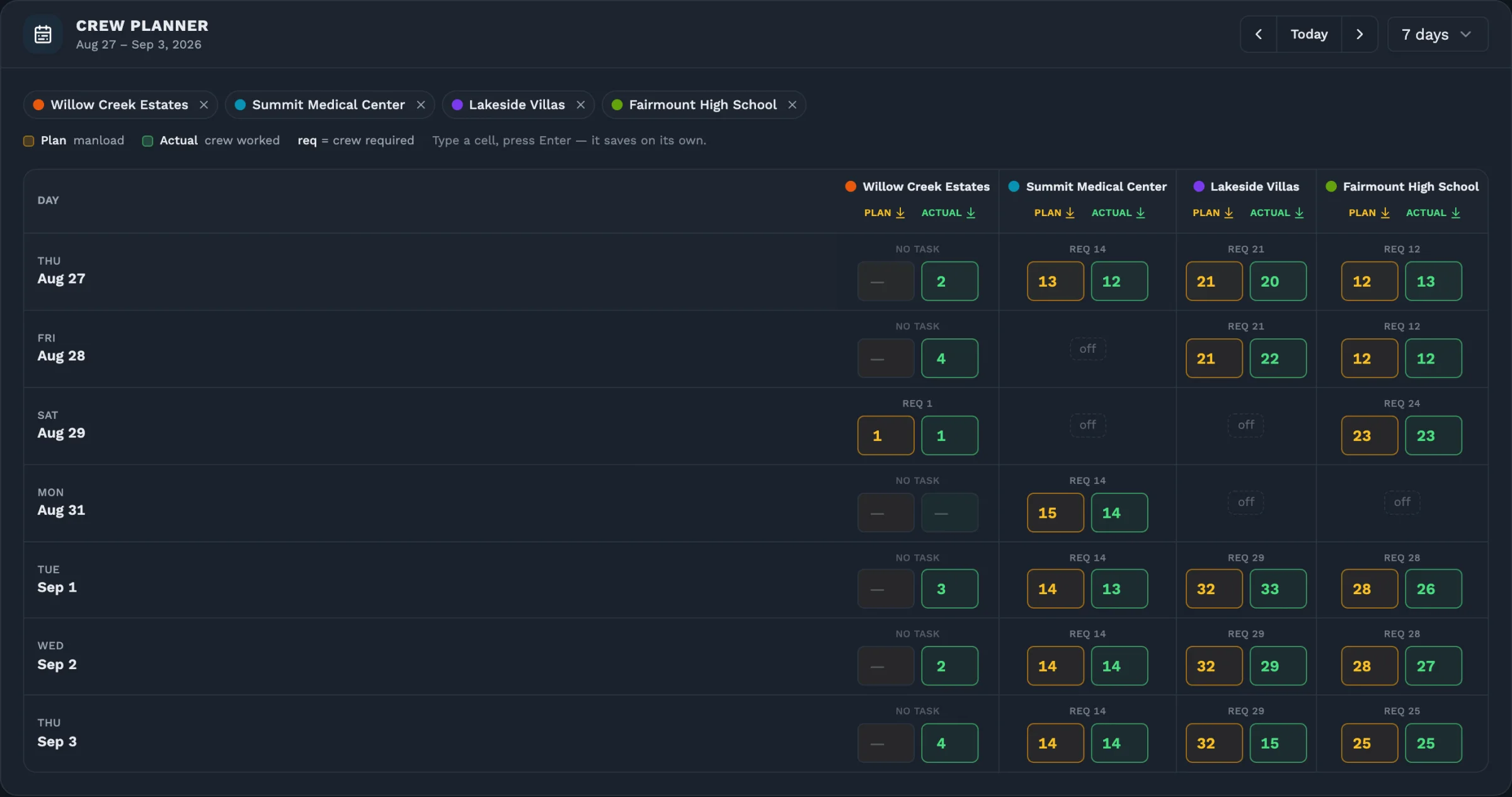
Plan your crew before you mobilize.
Assign crew sizes to every activity and understand your total manpower requirements before the first worker sets foot on site.
- Assign crew size to each scheduled activity
- Duration × crew size = man-days calculated automatically
- Feeds directly into the running manload chart
- Adjust crew sizes and see schedule impact instantly
- Plan for subcontractor and self-perform crews separately
Also Included
Everything else you need.
Mobile-Ready Access
Access your schedules from any device. Field supervisors can check tasks, update progress, and view the timeline from the job site — no desktop required.
Data Export & Reporting
Export schedules and reports in PDF or CSV format for planning, recordkeeping, and sharing with owners, subcontractors, and stakeholders.
Secure User Accounts
Your project data is protected with secure authentication. Each team member gets their own login. Role-based access keeps sensitive data controlled.
Subscription Access
Simple subscription pricing — no long-term contracts, no per-seat surprises. Start with a free trial and upgrade when you're ready.
Why TradeFlow Planner
Focused on construction scheduling and manpower planning.
A capability comparison, not a scorecard. What a general-purpose project tool can do depends on the product and on how much it has been set up, so the right-hand column says what varies rather than what is missing.
| Capability | TradeFlow Planner | General project tools |
|---|---|---|
| Construction activity scheduling | Every activity carries its trade, crew size and duration, and the timeline is built around them. | Usually generic tasks. Trade and crew size often require configuration. |
| Required vs. projected vs. actual manpower | All three on one chart, compared day by day, with the gap called out. | Rarely built in. Varies by product. |
| Cross-job visibility | Several jobs on one timeline, and on one manload chart on Pro. | Varies — often one project at a time. |
| Field focus | Laid out for a phone or tablet on site, not just a desk. | Varies by product. |
| Setup | Add a job, add its activities, and the schedule and manload draw themselves. | Often requires configuration before it fits how a crew works. |
See it in action.
Start your free 14-day trial and experience every feature with your own project data.
No credit card required · Full feature access · Cancel anytime